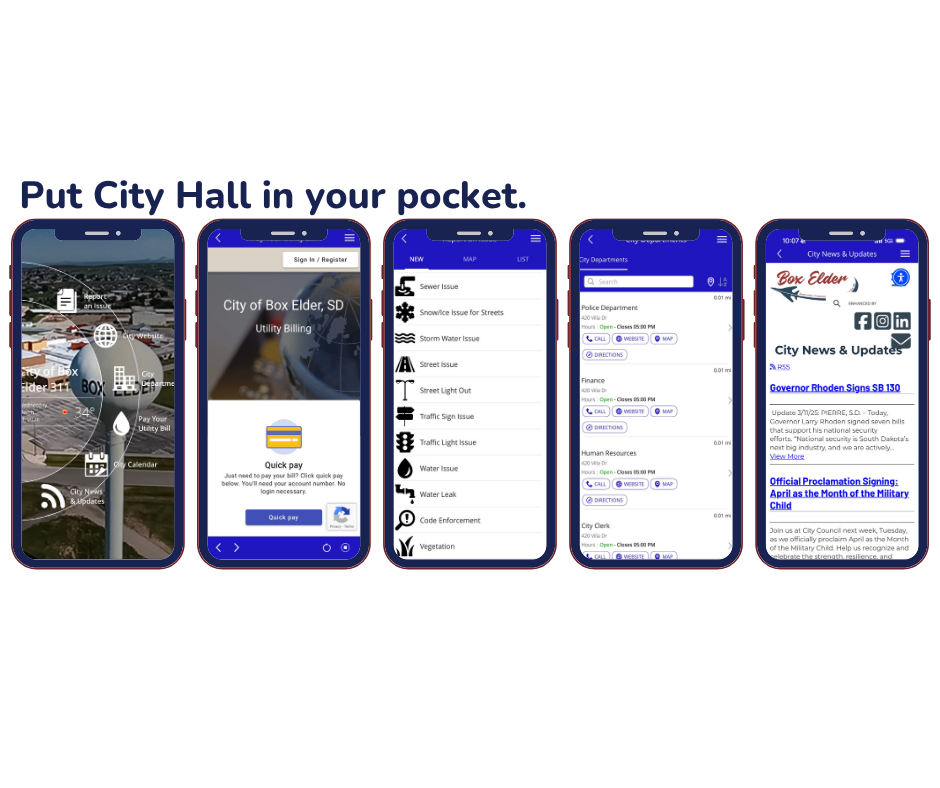
Already signed into the app? Just tap Pay Your Utility Bill and select Sign In. If your utility account uses the same email, your login should carry over automatically, no extra sign-in needed!
City of Box Elder 311
Introducing the City of Box Elder 311 App!
The City of Box Elder 311 App brings city services directly to residents’ fingertips. The app enhances citizen engagement while streamlining internal workflows, allowing staff to respond more efficiently to community needs.
Residents can report issues, pay utility bills, and access city updates, promoting transparency and improved response time.
How to Download the App
Open the App Store on your iPhone or iPad, or now on your Google Play Store.
Tap the Search icon at the bottom of the screen.
Type “City of Box Elder 311” in the search bar and tap Search.
Look for the app with the City of Box Elder logo and tap Get.
Confirm with your Apple ID, Face ID, or Touch ID if prompted.
Once the app finishes downloading, tap Open.
Explore the app to:
- Report city issues quickly
- Pay utility bills securely
- Read the latest city news
- Check upcoming City Council meetings
Tip: To pay your utility bill through the app, log in to the Utility Billing section first.